
Modern business environments require careful attention to spatial arrangement and ergonomic design to foster productivity and employee well being. The physical layout of a workplace directly impacts how teams communicate, collaborate, and execute daily responsibilities. Companies often find that traditional layouts no longer serve their dynamic operational needs.
Achieving a balanced and functional corporate environment begins with a comprehensive evaluation of existing architectural limitations and opportunities. Business leaders must analyze daily workflow patterns, department adjacencies, and communication bottlenecks before implementing layout changes.
Assessing Business Workflow and Spatial Needs
Every successful workspace transformation starts with a thorough discovery phase that uncovers how teams actually interact within their physical environment. Workspace consultants examine current operational habits, equipment usage, and storage requirements to map out ideal adjacencies.
Evaluating technology integration is equally critical during the initial assessment phase. Modern enterprises rely heavily on robust IT infrastructure, digital displays, and accessible power sources.
Start With How Work Actually Happens
An accounting team may require long periods of concentration, while a creative department may depend heavily on group discussion. Sales employees may spend significant time on calls, and management may need a combination of private meetings and collaborative sessions.
The purpose of office space planning guidelines is not simply to determine where desks should go. Effective planning considers how space can support productivity, communication, privacy, comfort, and future changes.
Build Zones Instead of Filling the Floor
One useful approach is to divide the workplace into functional zones. Each zone has a clear purpose, but employees are not necessarily restricted to one location.
A typical workplace may include:
Focus work areas
Team collaboration zones
Meeting rooms
Informal discussion areas
Reception and visitor space
Break areas
Shared support facilities
These zones can be connected through clear circulation paths. Employees should understand naturally where different activities belong.
Focus Areas for Concentrated Work
Open offices can be useful for communication, but they are not suitable for every task. Employees working on financial documents, detailed reports, programming, writing, or analysis may need periods of uninterrupted concentration.
Quiet zones can address this need. These areas do not necessarily have to be completely silent, but they should have fewer interruptions and less visual traffic.
Acoustic treatments can also help. Flooring, ceilings, partitions, wall materials, and furniture can all contribute to controlling workplace noise.
Collaboration Areas for Teamwork
Collaboration spaces should be easy to reach from workstations. If employees have to walk across the entire office to find a meeting area, informal collaboration may become inconvenient.
Small meeting tables, comfortable seating, writable surfaces, and screens can support quick discussions without requiring a formal conference room.
The number and size of collaboration spaces should depend on actual usage rather than assumptions. A company with frequent small team meetings may benefit more from several compact rooms than one enormous boardroom.
Think Carefully About Circulation
Movement is one of the easiest elements to overlook when planning an office. A floor plan may look efficient on paper but become uncomfortable once employees, visitors, chairs, storage units, and equipment are introduced.
Main circulation paths should be easy to identify. Employees should be able to move between departments, meeting areas, shared facilities, and exits without constantly navigating around furniture.
Secondary pathways can connect workstations to nearby support areas. Keeping these routes clear improves both everyday usability and emergency access.
The Role of Workplace Privacy
Privacy does not mean every employee needs a private office. Instead, workplaces can provide different levels of privacy depending on the task.
A person making a confidential call may need more separation than someone working on a routine administrative task. A manager conducting a sensitive discussion needs a different environment from a team holding a brainstorming session.
Privacy can be created through:
Enclosed rooms
Acoustic panels
Partial height screens
Strategic furniture placement
Phone booths
Quiet rooms
The right combination depends on the organization's working culture.
Furniture and Space Planning Should Work Together
Furniture should be selected after the basic space requirements are understood, not simply placed into an existing floor plan. Desk dimensions, storage units, meeting tables, chairs, and partitions all affect circulation.
Oversized furniture can reduce flexibility. On the other hand, furniture that is too small may make employees uncomfortable or create insufficient workspace.
The best approach is to consider the complete workstation rather than just the desk. Employees need space for monitors, documents, personal belongings, and sometimes specialist equipment.
Planning for Hybrid Work
Hybrid working has introduced another consideration: not every employee needs a permanent workstation every day. Some organizations use shared desks or neighborhood based seating. Others maintain dedicated workstations while adding flexible collaboration areas. There is no universal model.
Organizations should avoid reducing desks simply because remote work exists. If employees regularly arrive at the office and cannot find suitable workspaces, the office becomes frustrating rather than useful.
Technology Must Be Considered Early
Modern offices depend heavily on technology. Power outlets, network connections, displays, video conferencing equipment, charging points, and cable management should be integrated into the planning process.
Meeting rooms are particularly dependent on technology. A room that looks excellent but has poor camera positioning, inadequate acoustics, or insufficient power will quickly become difficult to use.
Technology also affects desk placement. Employees using multiple monitors may need more surface area and better cable management than employees working primarily from laptops.
Planning for Growth
An office should not be designed only for today's headcount. Organizations change. Departments grow, teams move, and working practices evolve.
A floor plan with no spare capacity can become restrictive quickly. Where possible, organizations should preserve some flexibility so that furniture can be rearranged without major construction.
Modular furniture is particularly useful because it can often be moved or reconfigured as requirements change.
Lighting and Environmental Comfort
Lighting has a strong influence on how an office feels and functions. Natural light should be used effectively where possible, but glare on screens must also be considered.
Workstations positioned directly in front of bright windows can create visibility problems. At the same time, placing every workstation far away from windows may waste a valuable environmental resource.
Temperature, ventilation, acoustics, and access to daylight should be considered alongside furniture and floor area. Workplace comfort is a combination of several factors rather than one design decision.
Make the Reception Area Functional
Reception is often the first physical experience visitors have of an organization. It should communicate the company's identity while remaining practical.
Visitors should be able to understand where to check in, where to wait, and how to reach meeting rooms. Reception furniture should not block circulation or create congestion.
Review the Plan Before Implementation
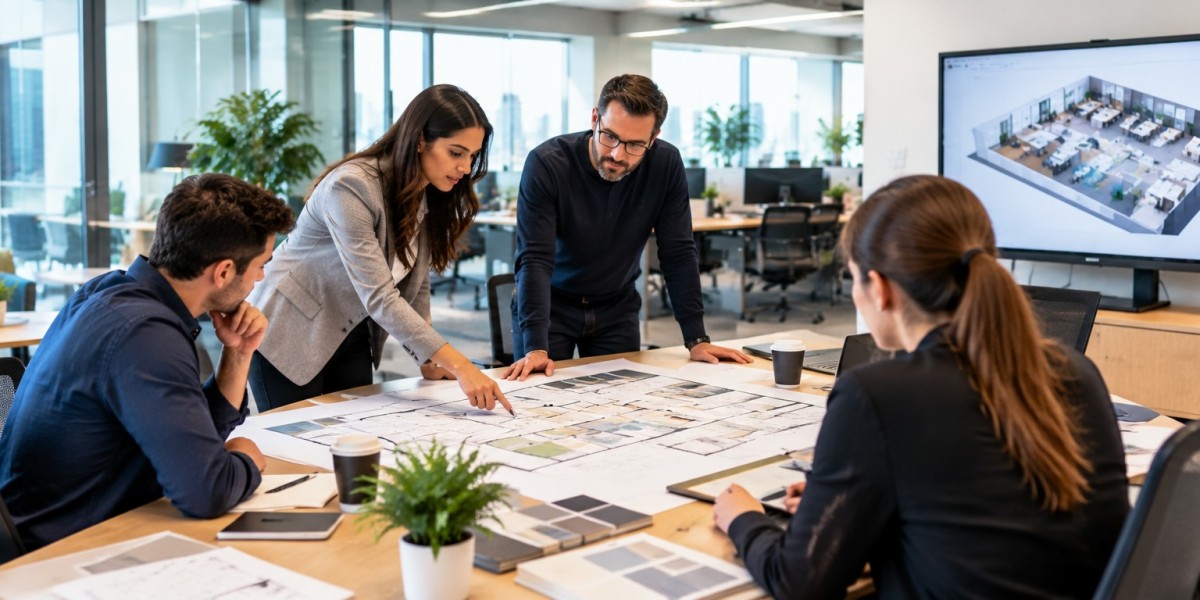
Before committing to a final office layout, it is useful to test it. Digital plans can help, but physical mock ups can reveal problems that drawings do not show.
Teams can walk through the proposed layout and consider typical scenarios:
An employee arriving in the morning
A team holding a meeting
A visitor entering reception
Several employees using a printer
A confidential phone call
An emergency evacuation
Testing the workplace from different perspectives can reveal practical weaknesses before they become expensive changes.
Wrapping Up
Modern office planning is less about maximizing the number of desks and more about creating an environment that supports different kinds of work. Focus areas, collaboration zones, meeting rooms, privacy solutions, technology, circulation, and employee comfort all need to work together.
A successful workplace should be practical today but flexible enough to adapt tomorrow. By starting with real working patterns and then designing the physical environment around them, organizations can make better use of their floor area while creating a workplace that employees actually want to use.